5 Budget 3D Printers Under $300
The world of 3D printing has become increasingly accessible, with manufacturers offering capable machines at remarkably affordable prices. Whether you’re a hobbyist, student, or maker on a budget, you no longer need to spend a fortune to get started with a budget 3D printer. In this guide, we’ll explore the top five budget 3D printers available for under $300 that deliver impressive results without breaking the bank.
Affiliate Disclosure:
This website contains affiliate links that earn me a commission, at no cost to you. When you make a qualifying purchase via one of my affiliate links, I may be provided with a commission from the associated partner.
1. Bambu Lab A1 Mini

The Bambu Lab A1 Mini pushes the boundaries of what’s possible at the $299 price point, bringing core technology from higher-end models into an affordable package.
Overview
The A1 Mini is a compact powerhouse, featuring Bambu Lab’s renowned high-speed printing capabilities with speeds up to 500mm/s. Its integrated AI-powered camera allows for print monitoring and automatic first-layer calibration. The printer comes with a built-in computing module running Bambu’s custom firmware, enabling wireless printing via Wi-Fi and the Bambu Handy app. Despite its smaller build volume, the A1 Mini’s quick-swap magnetic build plate and tool-less assembly make it remarkably user-friendly.
Pros
- Exceptional print speeds (up to 500mm/s)
- AI-assisted auto bed leveling and calibration
- Wi-Fi connectivity and app control
- Integrated camera for print monitoring
- Minimal assembly required (15 minutes)
- Accurate temperature control
Cons
- Smaller build volume (180x180x180mm)
- Limited to Bambu’s ecosystem
- Proprietary slicing software
- Highest price point in our budget range
2. Elegoo Centauri Carbon
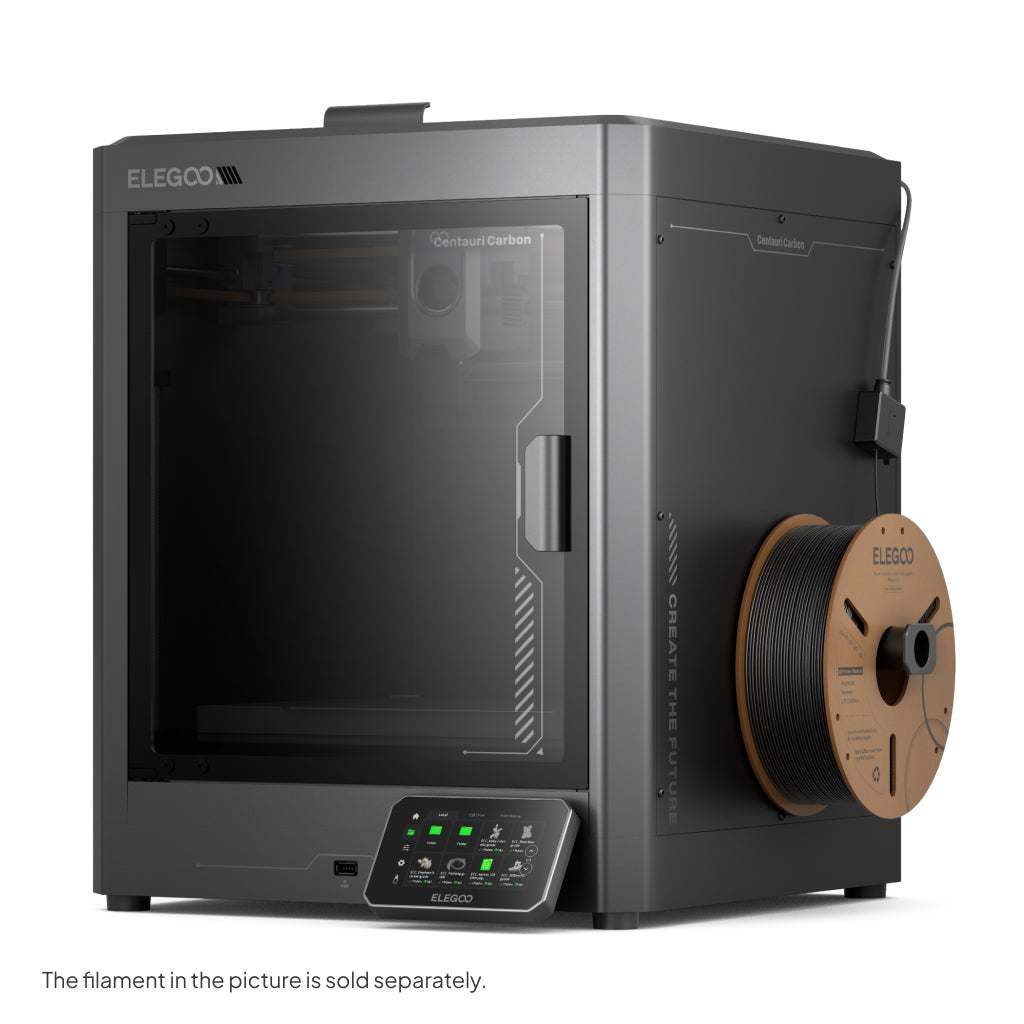
The Elegoo Centauri Carbon brings high-speed printing and premium materials to the budget segment at $299, offering exceptional performance for the price.
Overview
The Centauri Carbon features a lightweight carbon fiber X-axis that enables faster printing speeds while reducing vibration artifacts. Its dual Z-axis lead screws ensure precise layer alignment, and the direct drive extruder handles flexible filaments with ease. The included PEI-coated spring steel build plate provides excellent adhesion and easy print removal. Elegoo’s upgraded stepper motor drivers deliver quieter operation, and the printer includes automatic bed leveling for simplified setup.
Pros
- Carbon fiber components reduce weight and vibration
- High speed printing capabilities (up to 500mm/s)
- Direct drive extruder for reliable flexible filament printing
- PEI spring steel magnetic build plate
- Automatic bed leveling sensor
Cons
- Some assembly required (30-45 minutes)
- Limited community support compared to more established models
- Occasional firmware quirks
- Mobile app still in development
3. Creality Ender 5 S1

The Creality Ender 5 S1 represents the evolution of Creality’s popular cube-style design, offering improved stability and speed at $299.
Overview
The Ender 5 S1 features a cubic frame that provides greater stability compared to traditional cantilever designs. Its direct drive “Sprite” extruder system can reach temperatures up to 300°C, allowing for a wider range of filament compatibility. The printer includes CR-Touch automatic bed leveling, a dual-gear direct drive extruder, and a flexible magnetic PEI-coated build surface. The semi-enclosed design helps maintain more consistent temperatures for better print quality, especially with temperature-sensitive materials.
Pros
- Cubic frame design for improved stability
- Direct drive “Sprite” extruder with 300°C capability
- CR-Touch automatic bed leveling
- Semi-enclosed design for better temperature control
- Large active community and support base
Cons
- Larger footprint than some competitors
- Assembly takes approximately 45-60 minutes
- Cooling could be better optimized
- Wiring management could be improved
4. Anycubic Kobra 3
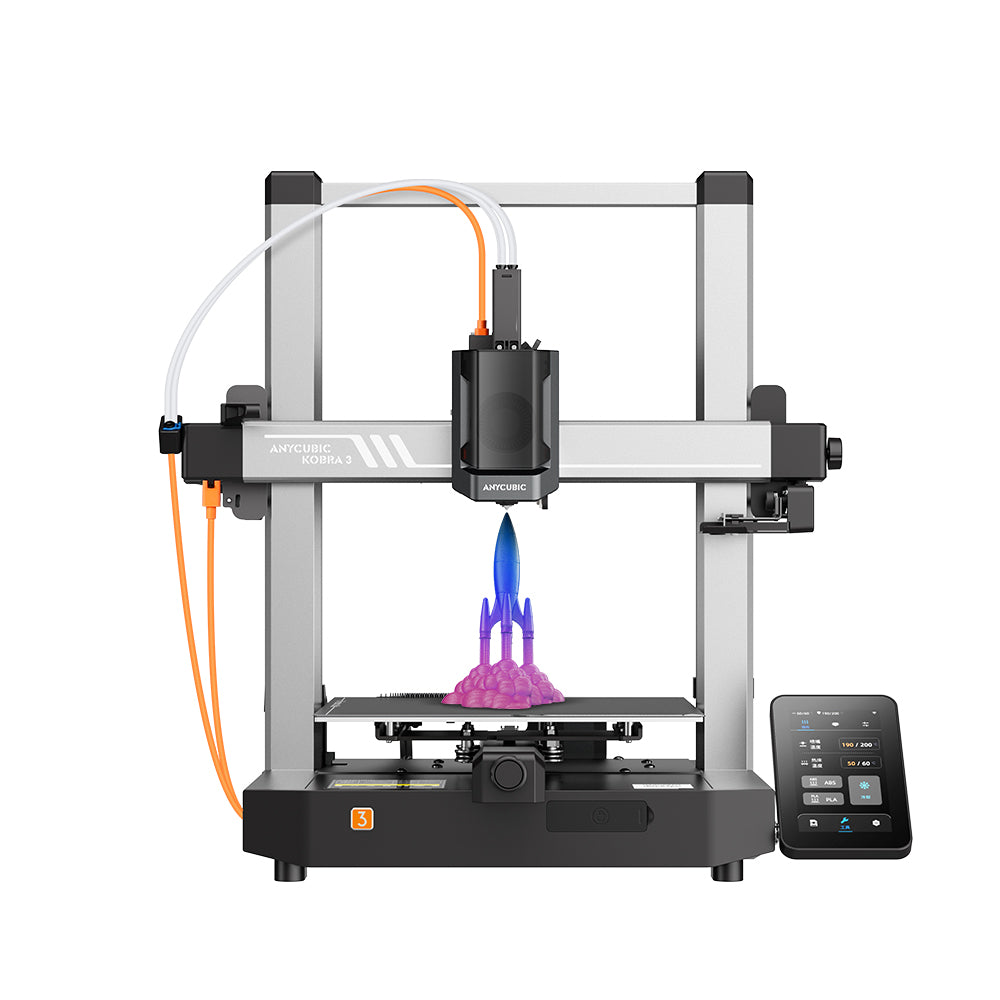
The Anycubic Kobra 3 strikes an excellent balance between features and affordability at $299, making it a solid option for beginners and experienced users alike.
Overview
The Kobra 3 introduces Anycubic’s improved LeviQ 2.0 auto-leveling system, which creates a more accurate bed mesh for consistent first layers. The printer features a high-flow hot end capable of 280°C temperatures and a direct drive extruder for reliable flexible filament printing. Its dual Z-axis system and rigid frame provide excellent stability, while the magnetic PEI-coated spring steel build plate ensures easy print removal. The included touchscreen interface simplifies operation and print management.
Pros
- Improved LeviQ 2.0 auto-leveling system
- Direct drive extruder with high-flow hot end
- Dual Z-axis lead screws for stability
- PEI-coated magnetic spring steel build plate
- User-friendly 4.3″ touchscreen interface
- Filament runout detection and power loss recovery
Cons
- Cooling fan noise can be noticeable
- Simplified slicer profiles may need tweaking for optimal results
- Some units have inconsistent quality control
- Limited Wi-Fi functionality
5. Sovol SV06
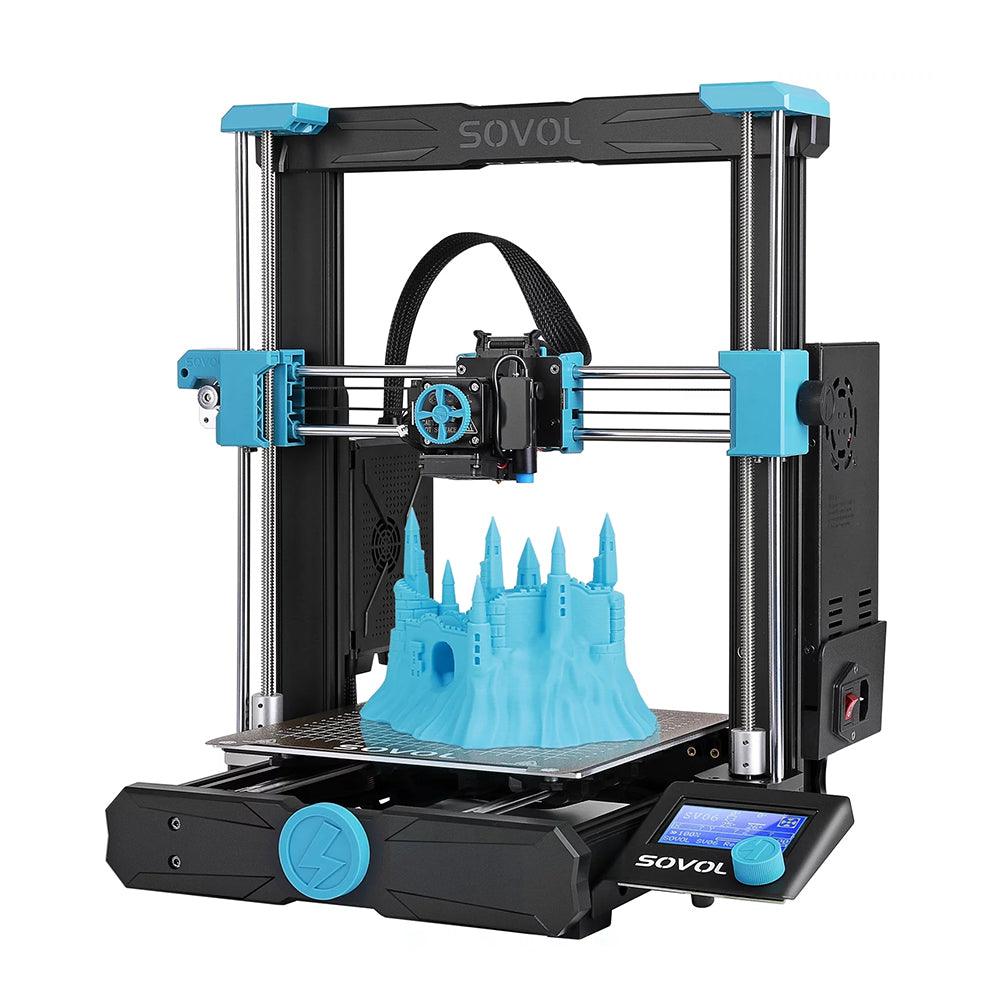
The Sovol SV06 is an impressive and affordable option at $159 that brings several premium features to the budget 3D printer market segment.
Overview
The SV06 stands out with its all-metal direct drive extruder and dual Z-axis lead screws for exceptional stability. It features a PEI-coated spring steel build plate that provides excellent adhesion during printing and effortless removal when complete. The printer’s all-metal hot end can reach temperatures up to 300°C, allowing for a wide range of filament compatibility.
Pros
- All-metal direct drive extruder handles multiple filament types
- Dual Z-axis lead screws prevent Z-wobble
- PEI spring steel magnetic build plate
- Precise automatic bed leveling
- Filament runout detection and power outage recovery
- Tool-free belt tensioning system
Cons
- Assembly takes approximately 45 minutes
- Slicer profiles may need optimization for best results
- Some users report occasionally finicky bed leveling sensor
- Limited proprietary ecosystem
Quick Budget 3D Printer Comparison Table
| Printer Model | Build Volume | Layer Resolution | Max Printing Speed | Filament Types | Price |
|---|---|---|---|---|---|
| Bambu Lab A1 Mini | 180×180×180mm | 0.08-0.28mm | 500mm/s | PLA, ABS, PETG, TPU | $239 |
| Elegoo Centauri Carbon | 256x256x256mm | 0.1-0.4mm | 500mm/s | PLA, ABS, PETG, TPU | $299 |
| Creality Ender 5 S1 | 220x220x280mm | 0.1-0.35mm | 250mm/s | PLA, ABS, PETG, TPU | $299 |
| Anycubic Kobra 3 | 250x250x260mm | 0.08-0.28mm | 600mm/s | PLA, ABS, PETG, TPU | $299 |
| Sovol SV06 | 220x220x250mm | Unavailable | 150mm/s | PLA, ABS, PETG, TPU | $159 |
Conclusion
The budget 3D printer market continues to evolve rapidly, with manufacturers pushing the boundaries of what’s possible at the sub-$300 price point. These five printers represent the cutting edge of affordable 3D printing technology, offering features and performance that would have cost significantly more just a year or two ago.
Whether you’re looking for blistering speed, exceptional print quality, or user-friendly features, there’s a budget 3D printer on this list to meet your needs. As the technology continues to advance, we can expect even more impressive capabilities to become available at these accessible price points.
Have you tried any of these printers? Share your experience in the comments below!
FAQ About Budget 3D Printers
Q: Can budget 3D printers produce quality prints?
A: Yes, modern budget 3D printers can produce surprisingly high-quality prints, especially when properly calibrated and used with good-quality filament.
Q: What filament types can these budget printers use?
A: All five printers on our list can handle PLA, ABS, PETG, and TPU.
Q: How difficult are these printers to assemble?
A: Assembly difficulty varies. The Bambu Lab A1 Mini comes mostly pre-assembled and requires only about 15 minutes of setup, while the others may take 30-60 minutes following the included instructions.
Q: Do I need a computer connected to these printers?
A: No, all these printers can print independently using files from an SD card after initial setup. The Bambu Lab A1 Mini offers the additional convenience of Wi-Fi connectivity for wireless printing from your computer or mobile device.
Q: What ongoing costs should I expect?
A: The main ongoing cost is filament ($20-30 per 1kg spool). Occasional replacement parts like nozzles and build surfaces may be necessary after extended use.
Comments